
Send Individually 1.0.99
Each of your recipients will get an email addressed just to them.
Sperry Software
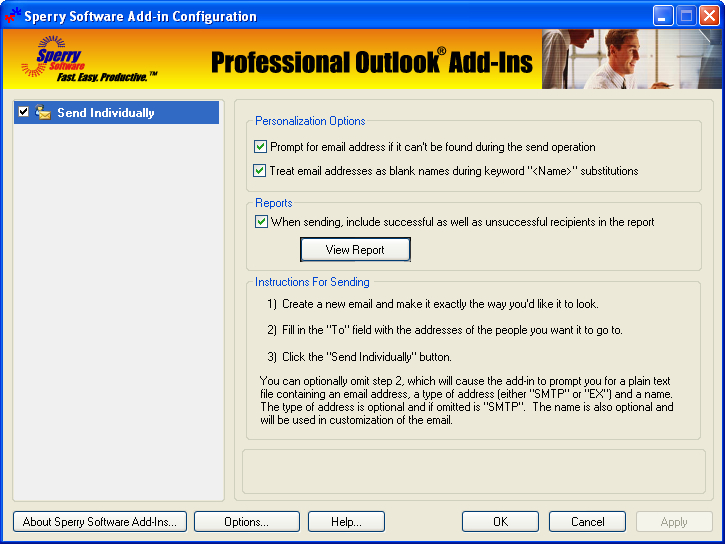
Need to send an email to many people but don't want to put in the work of performing a Word Mail Merge or risk having your email being flagged as spam using a BCC? Then Send Individually is for you. It sends an email that you create to each of your recipients, one at a time. Individually addressing emails allows those emails to make it through more spam filters and raises response rates. Don't you pay more attention to emails that are directly addressed to you? Now you can do it with ease. It's perfect for sending out your newsletters, press releases, business announcements, or other marketing emails.
How the Send Individually add-in works:
- You create an email newsletter or other announcement.
- Add your recipients to the "to" field.
- You press the "Send Individually" toolbar button.
That's it! Each of your recipients will get an email addressed just to them, in the "To" field, and they will not see any other email addresses, because it's been sent just to them.
In addition, you can compose your email the way you normally would except leaving the To field blank, then click on the Send Individually button. It will prompt you for a list of email addresses (from any plain text file with one address per line) and it will then send one copy of the email to each recipient, individually addressed.
Features of the Send Individually add-in include:
- Adds a convenient "Send Individually" button to your toolbar for easy access
- Supports any email format, plain text, Rich Text, or HTML for unlimited creativity
- Works with Word as your email editor (Word 2002 or higher), but is not required
- Easily handles distribution lists
- Supports input from a TXT file for larger mailings (one address per line)
- For smaller mailings, supports adding recipients with the standard "To" button
- Allows customization of each email with keyword substitution (first name, last name, etc)
- Works with Microsoft Outlook 2003, Outlook 2002, or Outlook 2000
- Integrates directly into Outlook and is invoked from within Outlook
- Optionally delays sending to avoid overloading your ISP (for larger mailings)
- Avoids the Outlook security prompts so you won't get those nagging security prompts


Oracle Corp. expects to generate about $65 billion in annual revenue by fiscal year 2026, an outlook executives first provided a year ago, in a lukewarm message to investors disappointed by the softwa...
In early June, sporadic but serious service disruptions plagued Microsoft’s flagship office suite — including the Outlook email and OneDrive file-sharing apps — and cloud computing platform. A shadowy...
Now, Microsoft has said a little more about what will happen to Windows 11’s existing Email and Calendar apps. Basically, they will cease to exist at the end 2024. In September next year, the new Outl...
 News archive...
| New Post | Top rated post |
|---|---|
|
August 04, 2014
How to recover my emails deleted from my computer?
August 04, 2014
How to Convert OST to PST File?
August 02, 2014
Can someone recommend non-Outlook PST viewer?
July 23, 2014
Moved to MS Exchange now Outlook rules wont work
July 19, 2014
Can't send e-mails from Outlook 2007 |
No results found.
|